Amazon is Teaming up With Roku – Here’s How to Get 50 Channels Free
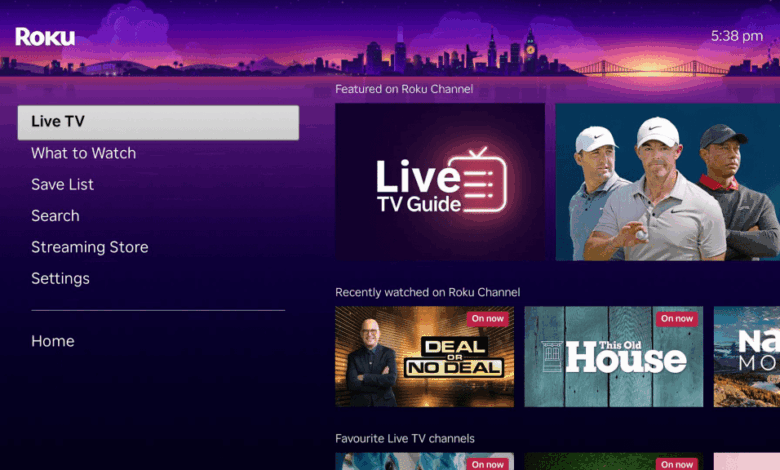
Amazon has recently made several exciting announcements, including the launch of the Ember Artline lifestyle TV and updates to the Fire TV app. One of the most notable upgrades is the addition of The Roku Channel to the Fire TV platform, expanding the streaming content options for users.
Previously, to access The Roku Channel’s content, users needed to purchase a Roku device like the Roku Streaming Stick or Roku Streaming Stick Plus. However, Amazon has now made it possible to watch The Roku Channel directly on the Fire TV without the need for an additional device or subscription.
This new integration gives Fire TV users access to approximately 50 FAST channels, offering a variety of free ad-supported streaming TV content, including movies, TV shows, and sports programs. To access these channels, users simply need to select the Live Guide option on the updated Fire TV home screen, which will lead them to The Roku Channel and its available content.
In addition to this content expansion, Roku is also offering a free HDMI extender to users in the US. An HDMI extender can be a useful accessory for streaming stick users, especially if accessing the TV’s HDMI port is challenging due to tight spaces or multiple devices plugged in. While Amazon includes an extender with the Fire TV Stick, Roku does not, but they have now made it easy for users to request a free extender through an online form on their website.
To request the free HDMI extender, users need to fill out the online form and provide their details along with the serial number of their Roku stick. The serial number can be found on the back of the device labeled as “SN,” in the Roku mobile app under View System Info, or on the TV by navigating to Settings, then System, and About. Once the request is submitted, Roku will send the free HDMI extender to the provided address.
These new upgrades and offerings from Amazon and Roku not only address common streaming issues but also enhance the entertainment value for cord-cutters. By following the detailed instructions provided, users can easily access The Roku Channel on their Fire TV and request a free HDMI extender to improve their streaming experience.