Best Android 16 Twists & Surprises: 10 Hidden Features
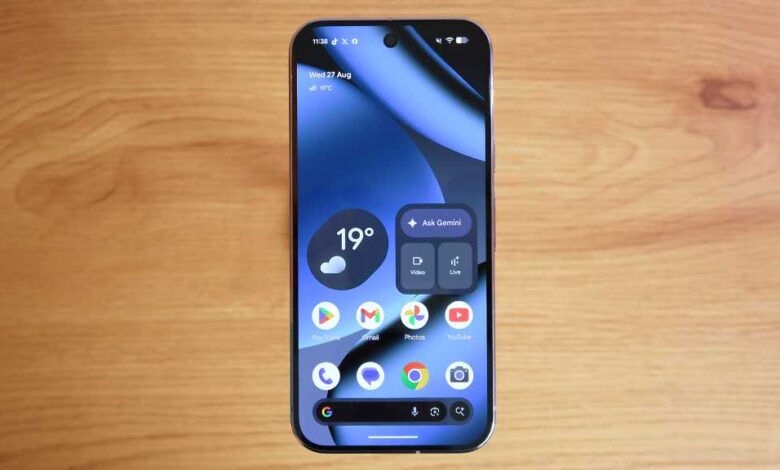
When Google released Android 16 in the summer of 2025, many users were excited about the major new features related to Gemini AI and grouped notifications. However, there are several hidden features in Android 16 that users might not be aware of. These features can enhance productivity and make the most out of your phone. Google has also released quarterly updates since the major update in the summer, including updates in September and December.
One feature in Android 16 is Desktop Mode, which allows users to resize windows when connecting their phone to a computer display. To enable Desktop Mode, users need to first enable Developer Mode by tapping on the Build number in the Settings>About phone section. Once connected to a display, users can choose Desktop Mode or mirror their phone’s display.
Another feature is Remix in Google Messages, which allows users to tweak images using Gemini AI and add captions before sending them in a chat. To use Remix, users need to update Google Messages to the latest version and enable Gemini in the app settings.
Android 16 also introduces the ability to share a Bluetooth audio stream with a friend, allowing users to stream audio to multiple Bluetooth devices simultaneously. This feature can be enabled in the Connected devices settings by enabling Audio sharing.
The update also includes improved text scam protection, with features like Circle to Search to identify potential scams in text messages. Users can enable this feature in the Security & privacy settings under Advanced Protection.
Live Updates for navigation is another new feature in Android 16, displaying real-time updates on the home screen for apps like Google Maps and Uber Eats. This feature provides users with up-to-date information without unlocking their phone.
Android 16 also includes a Notification Cooldown option to minimize notification pings by pausing all notifications for up to one minute. This feature can be enabled in the Settings by searching for “cooldown” and selecting Notification Cooldown.
A new spaceship game has been added to Android 16 as part of a recent quarterly update, providing users with a fun diversion. To access the game, users need to tap on the Android version multiple times in the About phone section of the Settings.
The update also introduces a Personal Safety app for emergencies, allowing users to set a safety check timer to notify contacts if they do not respond within a specified time frame. The app can be found in the Safety & emergency settings.
Android 16 also adds custom icon shapes, allowing users to change the shape of their app icons to squares or other shapes. This feature can be accessed in the Wallpaper & style settings under Icons.
Lastly, Android 16 includes a Battery Health feature that shows users the battery capacity of their device. This feature can be found in the Battery settings under Battery Health.
Overall, Android 16 brings a range of new and hidden features that can enhance the user experience and productivity on Android devices. Users are encouraged to explore these features and make the most of their smartphones.