How To Get Netflix On Sky Q, Glass & Stream: Price, Plans & Billing
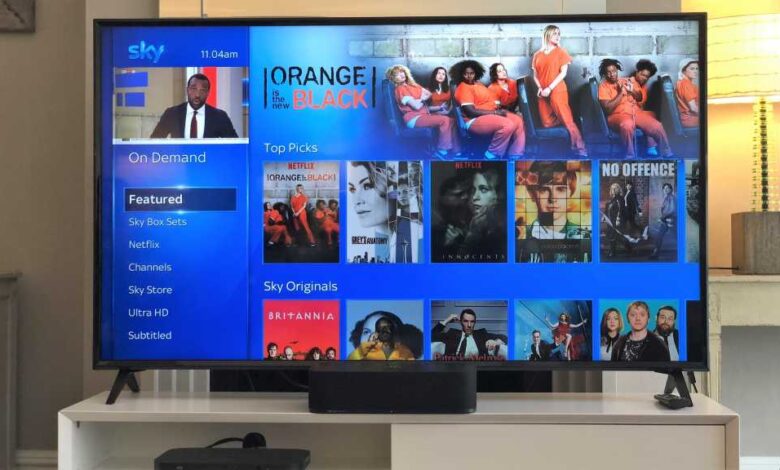
If you’re considering subscribing to Netflix, there are several options available through Sky Glass TV, Sky Stream, or Sky Q that offer integration and cost savings. By bundling your Sky and Netflix subscriptions together, you can enjoy seamless browsing and viewing experience. Here is a detailed breakdown of how you can access Netflix on these Sky platforms.
### Can I get Netflix on Sky Glass?
With the launch of Sky Glass TV, you can access Netflix through the Sky Essential TV package on Sky Glass Gen 2 or the more affordable Sky Glass Air. Prices start at £29 per month for the Gen 2 model and £21 per month for the Sky Glass Air, both including Sky Essential TV with Netflix. By opting for Sky Glass, you can enjoy the convenience of a fully integrated viewing experience.
### Can I get Netflix on Sky Stream?
Sky Stream offers a flexible and cost-effective option for accessing Netflix. The Sky TV & Netflix plan starts from £15 per month on an 18-month contract or £18 per month on a rolling 31-day contract. Additional packages with Sky Cinema and Sky Sports are also available, making it a versatile choice for streaming enthusiasts.
### How much does Netflix cost on Sky Q?
For Sky Q customers, the cost of Netflix is £31 per month, including Sky TV with Netflix. This package requires an installation fee of £20 and an 18-month contract. The Sky Signature TV package offers over 300 channels, with the Ultimate TV Add-On providing access to Netflix content.
### Can I watch Netflix in Ultra HD on Sky Q, Sky Glass, and Sky Stream?
Both Sky Essential TV and Sky Ultimate TV packages offer Netflix Standard with Ads, allowing unlimited streaming and downloads on one device. To access Netflix Standard without ads on two devices or Netflix Premium for Ultra HD on four devices, additional fees apply. The pricing for Netflix on Sky Q, Glass, and Stream varies slightly, with Sky Glass and Stream offering discounted rates.
### How does billing work with Netflix on Sky?
If you already have a Netflix subscription, you can link it to your Sky account for consolidated billing. This integration allows you to save money compared to separate subscriptions. The pricing for Netflix Standard and Premium plans differs slightly for Sky Q customers.
### How to use Netflix on Sky Q, Sky Glass, and Sky Stream
To access Netflix on Sky platforms, simply open the Netflix app within the Sky interface and use it like you would on any other device. Integration allows you to view and access Netflix content seamlessly across the Sky interface. Ensure to log into the app directly on your TV for the best experience.
### What if I have Sky Box Sets?
If you have Sky Box Sets, you can still access Netflix using your existing account but cannot sign up for a new account as part of the subscription. However, you can log in and use your existing Netflix account on your Sky device.
### Will I keep my Netflix profile on Sky Q, Sky Glass, and Sky Stream?
Yes, logging into your Netflix account on Sky platforms will retain your personal profiles and viewing history. Sky facilitates the transfer of your account details, ensuring a seamless transition without double billing.
### How do I activate Netflix on Sky?
You can activate Netflix on your Sky device through the user interface or online via the Sky website. Simply follow the instructions provided to link your Netflix account to your Sky subscription.
### Can I watch Netflix on Sky apps?
No, Netflix cannot be accessed through Sky apps. You can continue using the Netflix app on your other devices for streaming content.
### Can I get Netflix on Sky+?
Unfortunately, Netflix is not available on Sky+, so upgrading to Sky Q or Sky Glass is necessary to access Netflix content.
By choosing the right Sky platform for your viewing needs, you can enjoy a seamless and integrated streaming experience with Netflix. Explore the best movies and TV shows available on Netflix for endless entertainment options.