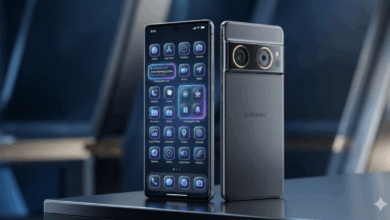
iPhone 17 Tips and Tricks That Pros Use

The iPhone 17 series is a game-changer in the world of smartphones, offering a range of features and functionalities that set it apart from its predecessors. From the base iPhone 17 with its ProMotion Display to the iPhone Air with its innovative design, and the professional-grade features of the iPhone 17 Pro and Pro Max, Apple has truly outdone themselves with this new lineup.
One of the standout features of the iPhone 17 series is the latest iOS 26 user experience, which introduces a fresh visual design and functionality. The addition of Liquid Glass and other enhancements gives iOS a new look and feel that is sure to impress users.
Whether you are a long-time iPhone user or new to the iPhone 17 series, there are plenty of tips and tricks to help you get the most out of your device. As someone who has reviewed almost every iPhone model in the last decade, I have compiled a list of helpful tips that will enhance your iOS experience.
These tips cover a wide range of features and functionalities that are available on the iPhone 17, iPhone Air, iPhone 17 Pro, and iPhone 17 Pro Max, as well as some older models. So, without further ado, let’s dive into the full rundown of tips and tricks for the iPhone 17 series.
- Customise the lock screen clock: iOS 26 allows for customisation of the lock screen clock, including font, colour, and scaling options. You can also choose between the Liquid Glass or traditional flat appearance.
- Spatial Scene lock screen: Create a 3D effect on your lock screen with Spatial Scenes, which adds depth to compatible images.
- Spatial Scene in Photos: View compatible images as Spatial Scenes directly in the Photos app, without the need for additional setup.
- Faster haptics for a better feel: Adjust the haptic touch duration in the Settings menu to make your device feel snappier.
- Hidden keyboard shortcuts: Discover hidden features of the iOS keyboard, including capitalisation, numbers, cursor movement, and compact keyboard layouts.
- Disable Control Centre on your lock screen: Prevent access to Control Centre from the lock screen to enhance security and prevent unwanted changes.
- Set a custom ringtone: Easily set a custom ringtone by using audio files stored in the Files app.
- Battery Percentage: Enable Battery Percentage in the Settings menu to monitor your device’s charge level more accurately.
- Set a Charge Limit: Set a charge limit to improve long-term battery health and extend the lifespan of your device’s battery.
- Enable Adaptive Power Mode: Automatically adjust power settings to conserve battery life and improve efficiency.
- Turn on Vehicle Motion Cues: Use motion cues to reduce motion sickness when using your phone in a moving vehicle.
- Make Apple Intelligence more intelligent: Enhance the AI experience on your device by enabling ChatGPT search and results.
- 4K 60fps video by default: Change the default video settings to capture higher quality 4K video at 60fps.
- Add a grid and level to your camera: Improve framing and composition in your photos and videos by enabling grid and level guides.
- Disable Macro Control: Disable the auto-switch to macro mode to have more control over your camera’s settings for macro photography.
By incorporating these tips and tricks into your iPhone 17 experience, you can make the most of the advanced features and functionalities offered by Apple’s latest flagship devices. Whether you are a photography enthusiast, a power user, or simply looking to enhance your iOS experience, these tips will help you unlock the full potential of your iPhone 17 series device.