What To Know Before You Build
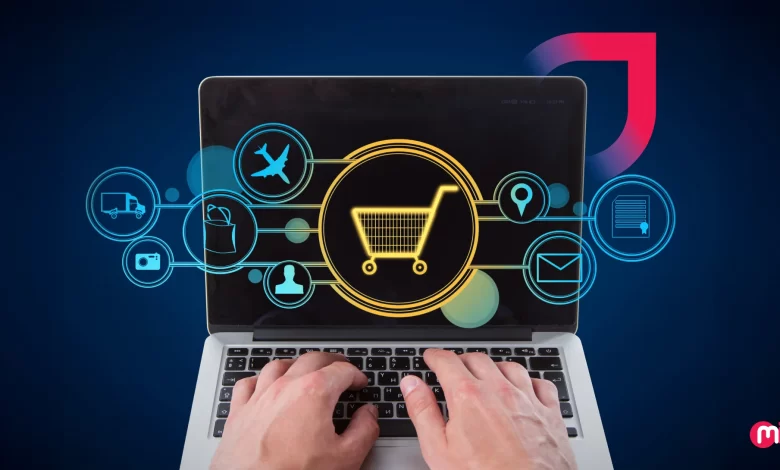
Retail businesses today are leveraging custom software solutions to enhance profitability, efficiency, and customer retention rates. In a rapidly evolving market, having the right retail software can give brands a competitive edge by streamlining operations, enabling data-driven decisions, and creating connected journeys across all channels.
The significance of retail software development cannot be overstated in the current landscape. From global chains to emerging D2C brands, businesses are investing in purpose-built software to stay ahead of the curve. By automating backend tasks, providing real-time data access, and delivering personalized customer experiences, custom retail software is not just a support system but a driving force behind retail growth.
Types of Retail Software Used in the Retail Industry
Retail software comes in various forms, each serving a specific purpose in the retail ecosystem. Some common types include:
1. Retail Management Software: Acts as a central hub for sales, inventory, and operations, providing real-time control over pricing, promotions, and performance.
2. Point of Sale (POS) Software: Handles transactions at checkout, combining payment processing, billing, and inventory updates in real-time.
3. Customer Relationship Management Software (CRM): Gathers and utilizes customer data to tailor marketing and service, driving better retention and segmentation.
4. Supply Chain Management Software: Provides visibility into inventory levels, demand forecasting, and logistics operations to optimize the flow of goods.
5. Warehouse Management Software: Streamlines operations within a warehouse, from receiving to shipping, enhancing inventory tracking and order processing.
6. Enterprise Resource Planning (ERP) Software: Unifies business functions like finance, logistics, and HR into one system for increased coordination and efficiency.
7. Inventory Management Software: Tracks inventory levels in real-time, automates restocking, and provides accurate forecasting across multiple locations.
8. Omnichannel Retail Platforms: Integrates online and offline shopping experiences to deliver a seamless customer journey across all touchpoints.
9. Virtual Try-On Software: Uses AR technology to allow customers to visualize products in real-time, reducing hesitation and enhancing confidence.
10. Retail Analytics and Forecasting Software: Turns data into insights for pricing, promotions, and planning, giving retailers a strategic edge in the market.
11. AI-Automated Self-Checkout Software: Uses vision and sensor technology to speed up checkout processes and improve customer satisfaction.
The Development Process of Retail Software
Developing custom retail software involves a structured process to ensure alignment with business goals and customer expectations. The key steps include:
1. Assess Retail Goals & Market Demands: Identify business needs, customer expectations, and competitive gaps to set a strong foundation for the development process.
2. Outline Core Modules & User Flows: Define core modules and user flows that reflect real interactions across channels to support internal efficiency and external engagement.
3. Select Scalable & Secure Technologies: Choose modern technologies that support scalability and security, ensuring the software can adapt to growing user demands.
4. Craft a Dynamic Design Experience: Decide on a design approach that aligns with the software’s purpose and audience, focusing on either human-centric or user-centric design principles.
5. Develop Frontend and Backend of the Software: Build the frontend and backend in sync to ensure a smooth user experience and robust system performance.
6. Run Comprehensive Quality Testing: Conduct quality testing to identify and address any issues early on, ensuring the software meets market standards and user expectations.
7. Launch & Monitor Performance in Real Time: Roll out the software with a clear plan, monitoring key performance indicators to optimize system responsiveness and user engagement.
8. Refine Features & Support Continuous Growth: Gather feedback, track user behavior, and release updates that solve real challenges and support business growth.
The Cost of Building Retail Software
The cost of developing custom retail software can vary depending on its complexity, features, and the software development company chosen for the project. On average, the cost ranges from $30,000 to $200,000 or more, with factors such as UI/UX design complexity, third-party integrations, security features, and post-launch support influencing the overall cost.
Factors to Consider When Hiring a Tech Partner for Retail Software Development
When selecting a tech partner for retail software development, it is essential to consider their industry experience, technical expertise, customization capabilities, project management process, client testimonials, security practices, and ability to manage complex projects efficiently. Transparency in pricing, reliability in delivery, and scalability to support business growth are also critical factors to evaluate.
Real-World Success Stories of Businesses Implementing Retail Software
Leading businesses like Walmart, Panasonic, and Sephora have successfully leveraged custom retail software to improve operations, enhance customer experiences, and drive growth. By deploying AI-powered inventory software, Electronic Shelf Label technology, and AI-driven supply chain tools, these brands have seen significant improvements in efficiency, accuracy, and customer engagement.
In conclusion, retail software plays a crucial role in driving profitability, efficiency, and customer satisfaction in today’s competitive market. By investing in custom software solutions tailored to their specific needs, retail businesses can stay ahead of the curve and deliver seamless experiences across all channels. Working with a trusted technology partner like MindInventory can help businesses build smarter, scalable retail software that drives growth and success in the digital retail space.