HMD’s X1 Fusion Is The Best First Smartphone For Children – But There’s a Catch
Deciding when to give a child their first smartphone can be a challenging task for many parents. It’s a balance between necessity and trust. The HMD Fusion X1 is a device priced at £229 that aims to ease this decision-making process by providing parents with more control over their child’s digital experience, allowing young users to explore the digital world under careful supervision.
According to Common Sense Media, nearly half of children have a phone by the age of 10, and this number increases to 91% by the age of 14. The Fusion X1 is designed for the stage when messaging becomes essential for children, but unrestricted access to the internet still feels inappropriate.
This smartphone offers more features than a basic phone, including a decent camera, the latest Android 14 operating system, a 5000mAh battery, and USB-C charging. It also has access to Google’s app store, YouTube, and the Chrome browser. However, what sets it apart is its initial setup.
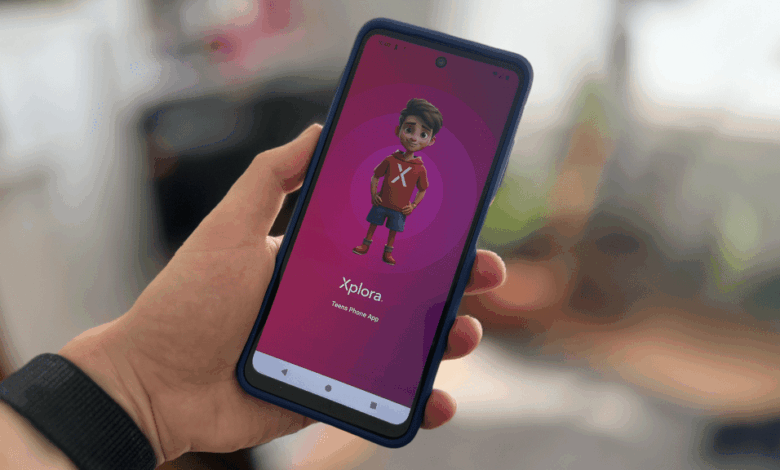
Unlike traditional smartphones, the Fusion X1 starts as a blank slate with only essential apps like the camera, gallery, file manager, Play Store, and HMD’s battery app accessible. Parents can gradually add additional apps one by one, providing a foundational approach to digital life for their child. All this comes at a monthly fee of £4.99.
The device comes with the Xplora Teen app pre-installed, allowing parents to manage the phone’s settings from their own Android or Apple device. They can control which apps are visible, manage contacts, and set restrictions for school hours or bedtime. The app also offers features like whitelisting calls and messages, remote app hiding, Safe Walk mode, location tracking, safety zones, and ICE calling.
One of the standout features of the Fusion X1 is that these parental controls are integrated into the system itself, making them harder to bypass for tech-savvy kids and easier for parents to set up. The phone’s longevity is also impressive, as it can evolve with the child by gradually relaxing restrictions as they demonstrate responsibility.
However, there are some limitations to the Fusion X1. The lack of control over Google Chrome, YouTube, and the Play Store could be concerning for parents. HMD recommends using Google’s Family Link service for additional content filters and app restrictions, but this adds complexity and redundancy to the setup process.
Live location tracking is a feature that requires a subscription, and while it can be useful, parents should have the option to disable it as their child grows older to build trust. Ultimately, open communication and mutual understanding are key in guiding children through the online world safely.
The X1 Fusion serves as a tool to facilitate these conversations and guide digital habits without overwhelming complexity. While technology can assist in monitoring and managing a child’s online activities, it cannot replace the importance of honest communication and trust between parents and children.
For adults feeling overwhelmed by smartphone use, switching to a dumbphone or exploring the resurgence of devices like the BlackBerry could be a viable alternative. It’s essential to find a balance between technology use and real-world interactions for both children and adults.